If you have heard
of Nearpod but aren’t very familiar, then you should definitely research this
spectacular resource. As some of my teacher friends were presenting about the popular
classroom tool in our class, I learned so much and was filled with excitement!
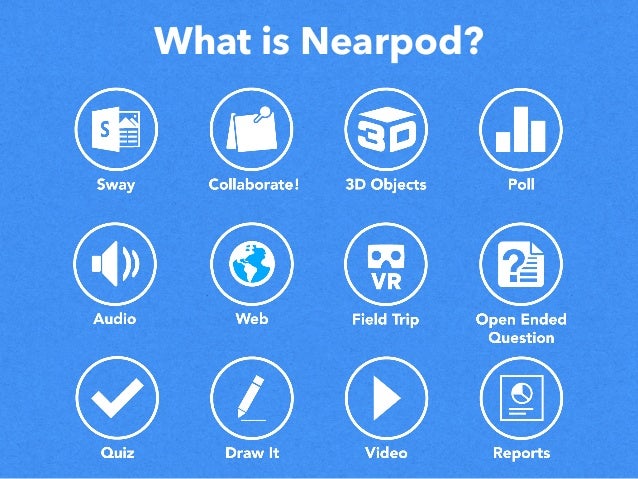
So, what can
you do with Nearpod? I think the better question to ask is what CAN’T you do
with this software, because it offers so much for teachers. First, Nearpod
offers pre-prepared, interactive lessons, so teachers can spend less time
planning and more time teaching. The lessons are separated by subject and grade
level, so teachers can easily find and pick out what lesson is needed. Teachers
also have the option to add collaborate boards, quizzes, polls, matching
activities, and even virtual field trips to the lessons to gear the lesson
towards what the students need. Teachers can also synchronize and control
lessons across all student devices. Students simply enter a code to begin
sharing a live session. This ensures 100% student participation because
students are actively participating in polls, open ended discussion questions,
or the option to draw their thinking. It really gives students a voice in their
learning.
Another
option that Nearpod offers is game-based learning, because who doesn’t love
playing games? Time to Climb is a popular game that encourages friendly
competition and student interaction as the students race to the top of the
mountain while they are learning. It also serves as a great formative
assessment tool to see where the students are in their learning. Speaking of
formative assessment, this is the perfect software that provides multiple forms
of assessment. Students interact with any device to participate in lessons that
are rich in formative assessments, such as polls, quizzes, discussion
questions, draw it options, and many more. Teachers will get real time feedback
to assess what the students already know and what gaps need to be filled. It
also provides a post session report for student learning.
Nearpod
easily works with Google Classroom. Teachers can upload existing Powerpoints,
PDFs, and Google Slides presentations and convert them to interactive Nearpod lessons.
It is so user friendly for teachers!
I could go
on about all the awesome things about Nearpod, but I will finish with that most
fun thing the app offers, VIRTUAL FIELDTRIPS! Nearpod VR works with many
devices, with or without headsets, to take students all over the world! How
cool is that?

No comments:
Post a Comment